
How to configure your engagement levels
How to configure your engagement levels
What engagement definitions should I use?
Overview
Subscriber engagement is a measure of how often your audience is interacting with your Campaigns.
Echobox uses the following default definitions to calculate and assign your subscribers to an engagement level:
- High - interacted with at least 50% of the last 14 emails
- Medium - interacted with 25-50% of the last 14 emails
- Low - interacted with less than 25% of the last 14 Editions, or with at least 1 emails ever
- Never engaged - has never interacted with any emails
- New - Subscribers will be considered new until they've received more than 1 email
Our configurable engagement levels functionality allows you to customise these levels to better fit with your campaign and newsletter goals. This functionality helps you to:
- Ensure you are only sending to engaged subscribers
- Manage your overall send volume
- Keep your deliverability high
This feature can be used in conjunction with segmentation. For example, you may wish to exclude sending emails to subscribers who have never engaged. For automated newsletters, you can specify your default segments for the campaign.
See How to manage segments, for more details.
How to configure your engagement levels
You can configure your engagement levels by navigating to Settings > Campaigns > Campaign > Engagement levels.
On this page you will be able to modify the default engagement levels to better suit your strategy.
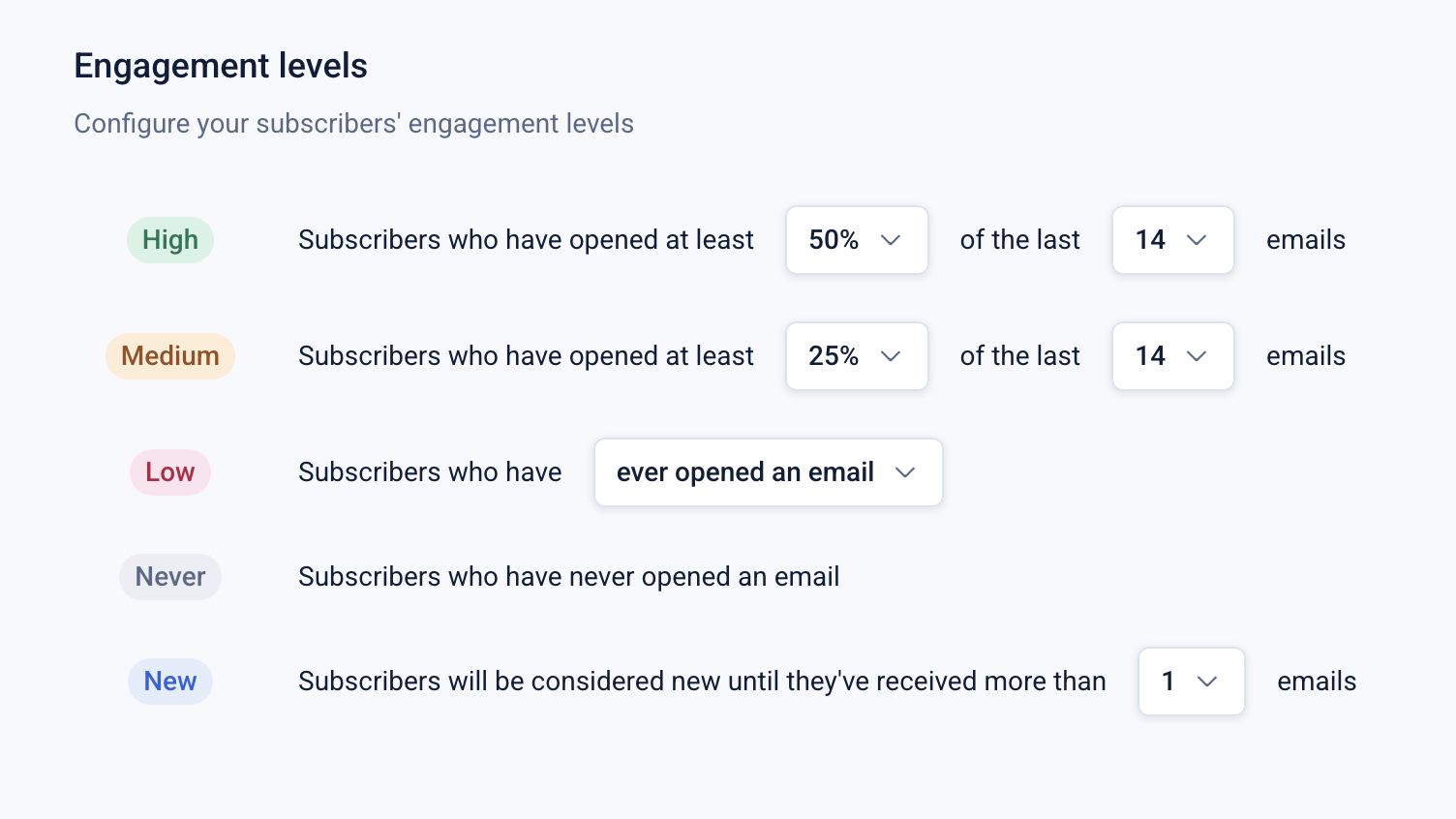
The engagement levels are structured around minimum opens and allow you to modify the minimum percentage for up to the last 21 emails.
For ‘Low’ you can retain the default definition for subscribers who have ever opened an email or expand the dropdown and select a minimum percentage.
You can also increase the number of emails (up to 21) for which subscribers will be considered ‘New’.
The ‘Never’ definition cannot be modified.
As soon as the number of emails received exceeds the value in ‘New’ Echobox will begin categorizing the subscribers. For example, if a subscriber has recently signed up and opened 3 of 4 emails, they will be assigned to the ‘High’ engagement definition as they have interacted with 75% of the emails they have received.
Working through an example
Let’s take an example newsletter that sends every weekday totalling five sends a week. In this example:
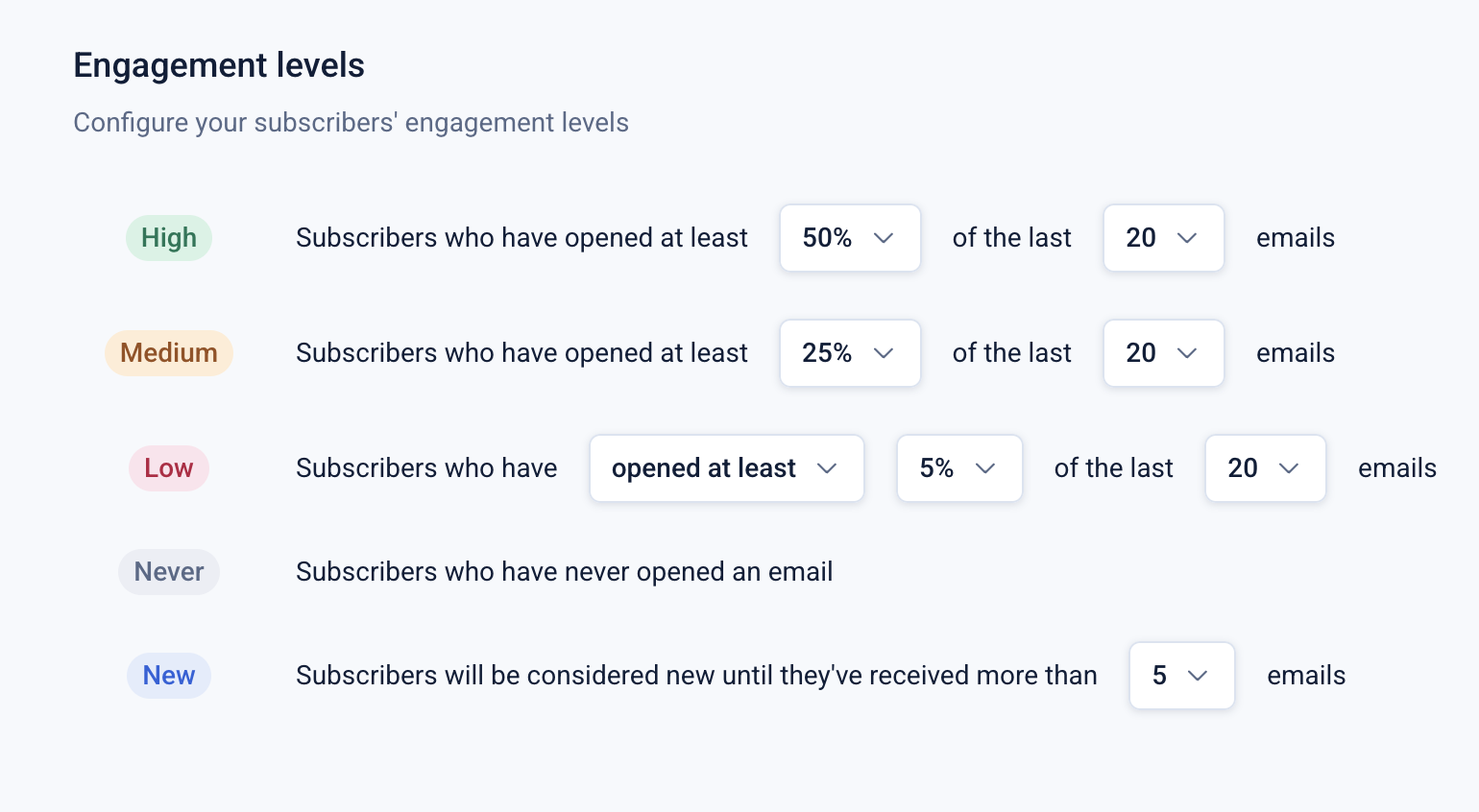
- Subscribers who have opened at least 10 of the last 20 emails with be considered to have high engagement
- Subscribers who have opened at least 5 of the last 20 emails with be considered to have medium engagement
- Subscribers who have opened at least 1 of the last 20 emails with be considered to have low engagement
- Subscribers will be considered new until they’ve received 6 emails
With these engagement levels in place a new subscriber will:
- Be assigned to ‘New’ until they have received 6 emails
- Be assigned to ‘Low’ if they have opened 1 of the 6 emails
- Be assigned to ‘Medium’ if they’ve opened 2 of the 6 emails
- Be assigned to ‘High’ if they’ve opened 3 or more of the 6 emails
What engagement levels should I use?
The optimal engagement levels are dependent on several factors and will differ for each campaign. The factors to consider are:
- The send frequency of the newsletter campaign
- The existing engagement levels for your campaign
- Your list size
- Your campaign strategy
If you wish to only send to engaged subscribers you should consider what you define as engaged based on the factors listed above and modify your levels accordingly.