
Managing your API access
Creating a new API key (refresh token)
Overview
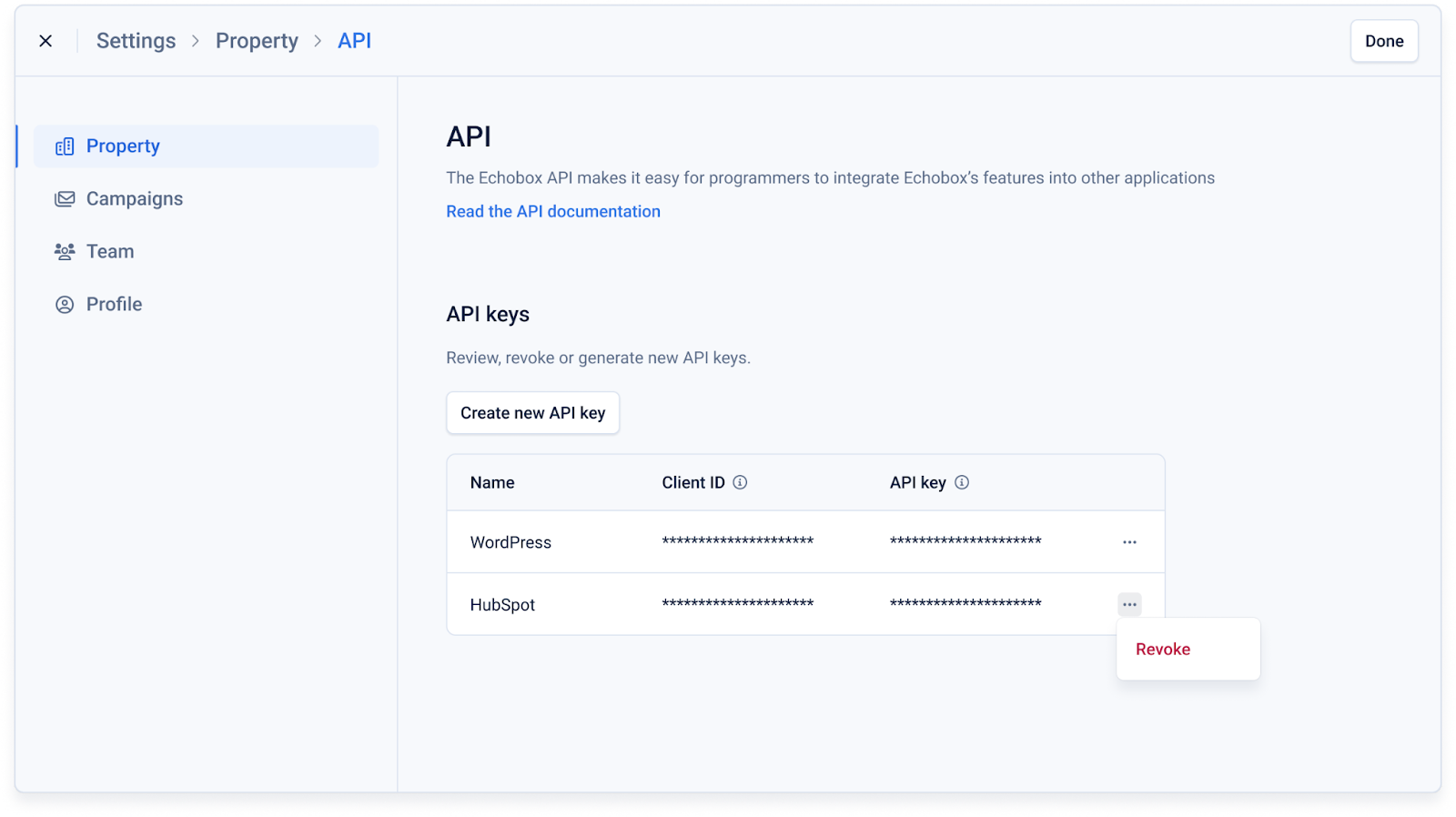
You can manage your API access by going to the property settings and clicking ‘API’. From here you are able to:
- Revoke access for any existing API key (deleting the key)
- Create a new API key
This allows you to securely provision and manage your own access to the Echobox APIs: https://docs.echobox.com/reference/api
Note: The API keys you can generate via the Echobox platform are refresh tokens as described here: https://docs.echobox.com/reference/authentication
Creating a new API key (refresh token)
To generate a new API key click ‘Create new API key’ where you will be prompted to enter a unique name for the key.
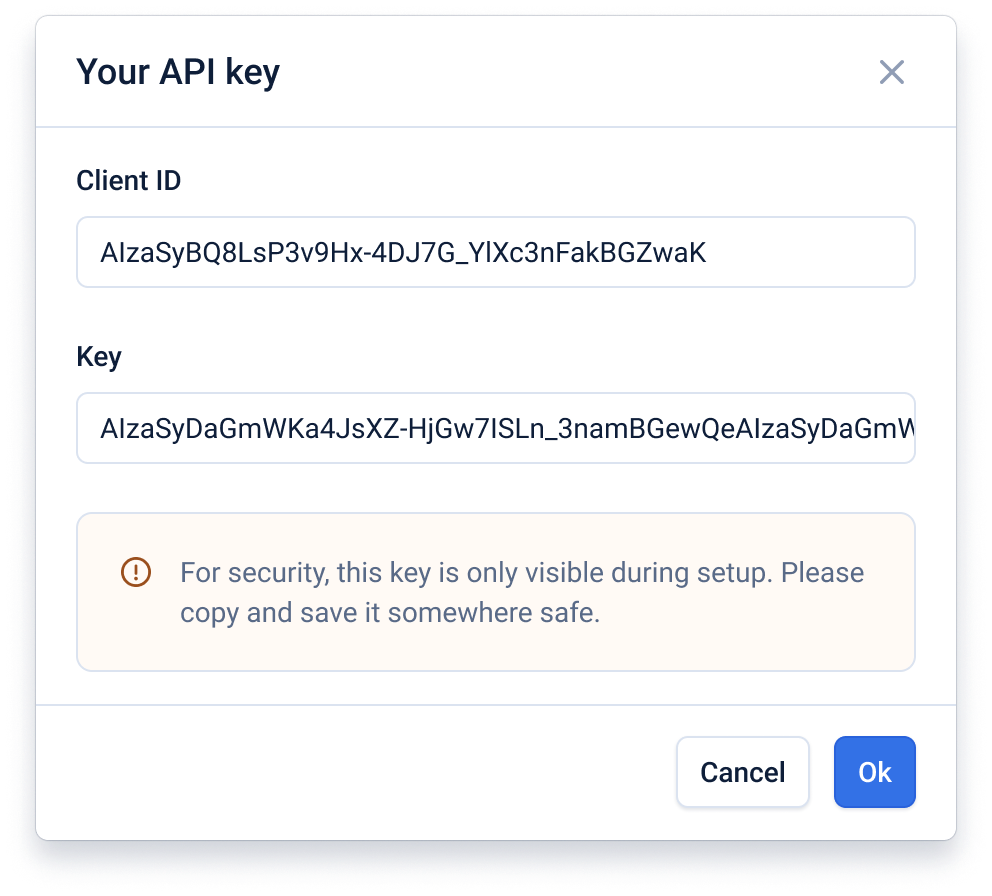
After entering the name for the API key the client id and key will be displayed. These values will only be displayed once, after the modal is closed you cannot access them again.
It is important to securely save the client id and key after they are created.
Revoking an existing API key
To revoke API access for a given key simply click the 3-dot menu for the key and click ‘Revoke’.
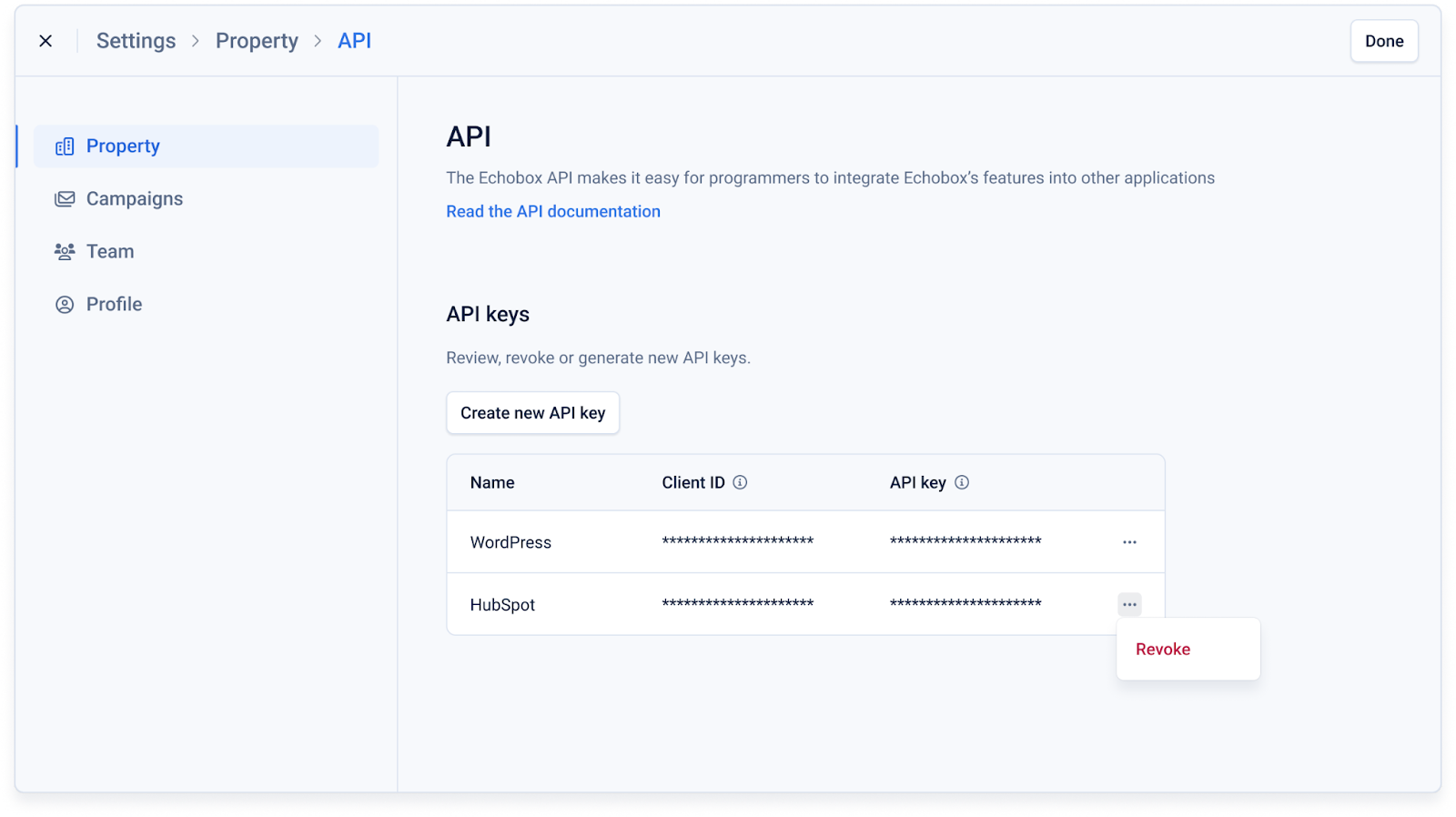
This will mean any API calls that are authenticated using this key will be rejected and the key will be deleted.