
Using all your article images
Echobox can now automatically extract media assets from your article and make them available to you when sharing.
This allows you to produce more visually engaging content without manually uploading files.
How it works
When you open the Compose Box, or convert a link share into an image or video, Echobox extracts all the images we can from the source article. Sources include scraping the URL and alternative data sources. E.g. if your default image data source is OG_Image, we'd show the RSS Image (if there is one).
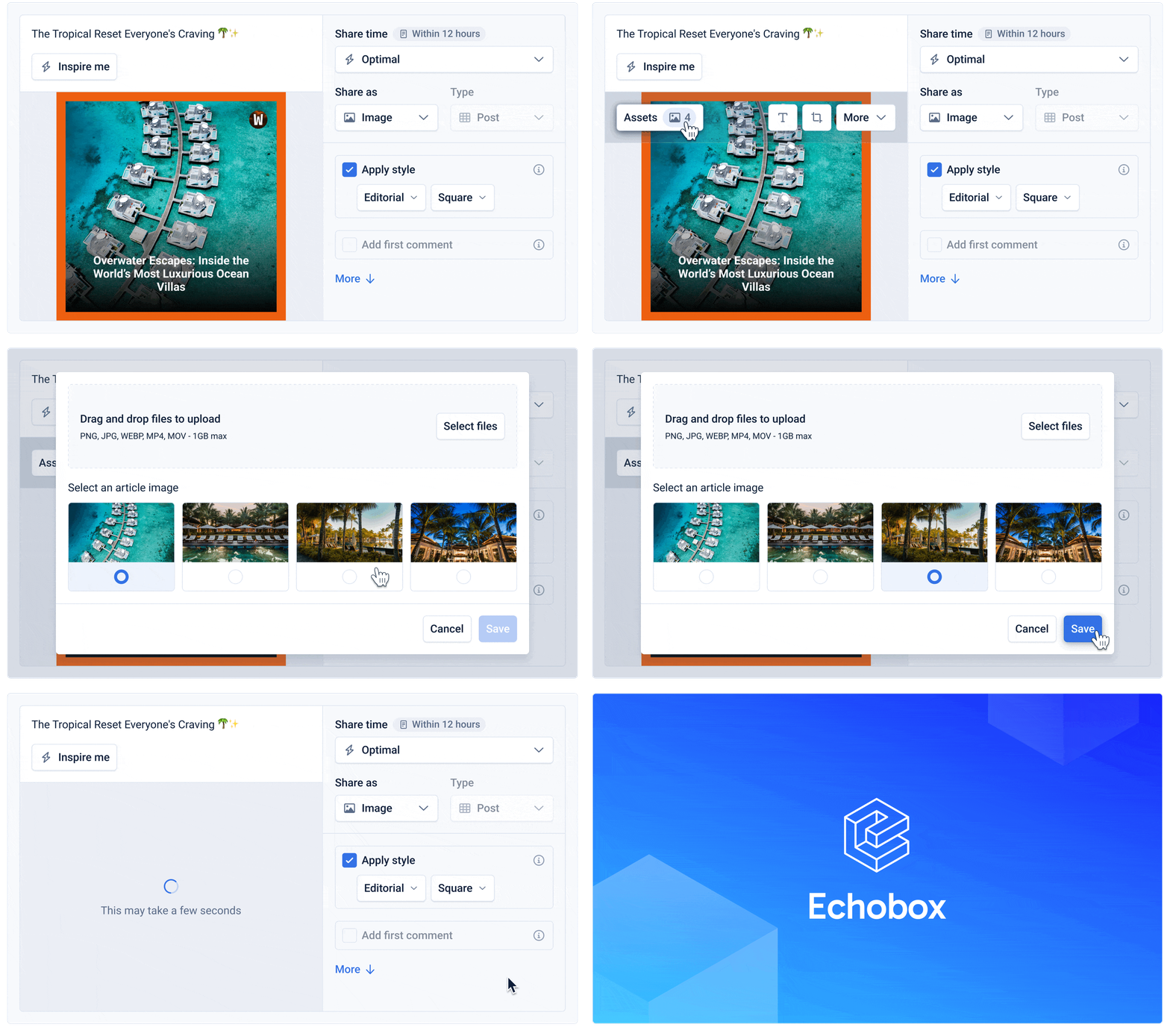
Open the Assets panel in the Compose Box.
Choose from the scraped visuals or upload your own. Uploaded assets appear at the top of the list.
Select and save your choices – your preview will update automatically.
Benefits
Saves time: no need to find and upload media manually
Expands creative options: choose from all visuals already in your article
Improves quality: ensures videos and stylized images are rich and visually appealing