
Turning articles into images with Echobox
Sharing your content as an image instead of a link can dramatically increase engagement on social platforms. Echobox makes it simple to convert your articles into high-impact, branded visuals – manually or automatically.
Why share articles as images?
Across platforms like Facebook and LinkedIn, image content consistently attracts higher engagement than traditional article link posts. Using Echobox, you can:
- Automatically generate stylized images from your articles
- Customize image design with your branding
- Save time while increasing reach and visibility
Pro Tip: Experiment with different styles to find what resonates best with your audience.
Image-link sharing on Facebook, LinkedIn and X
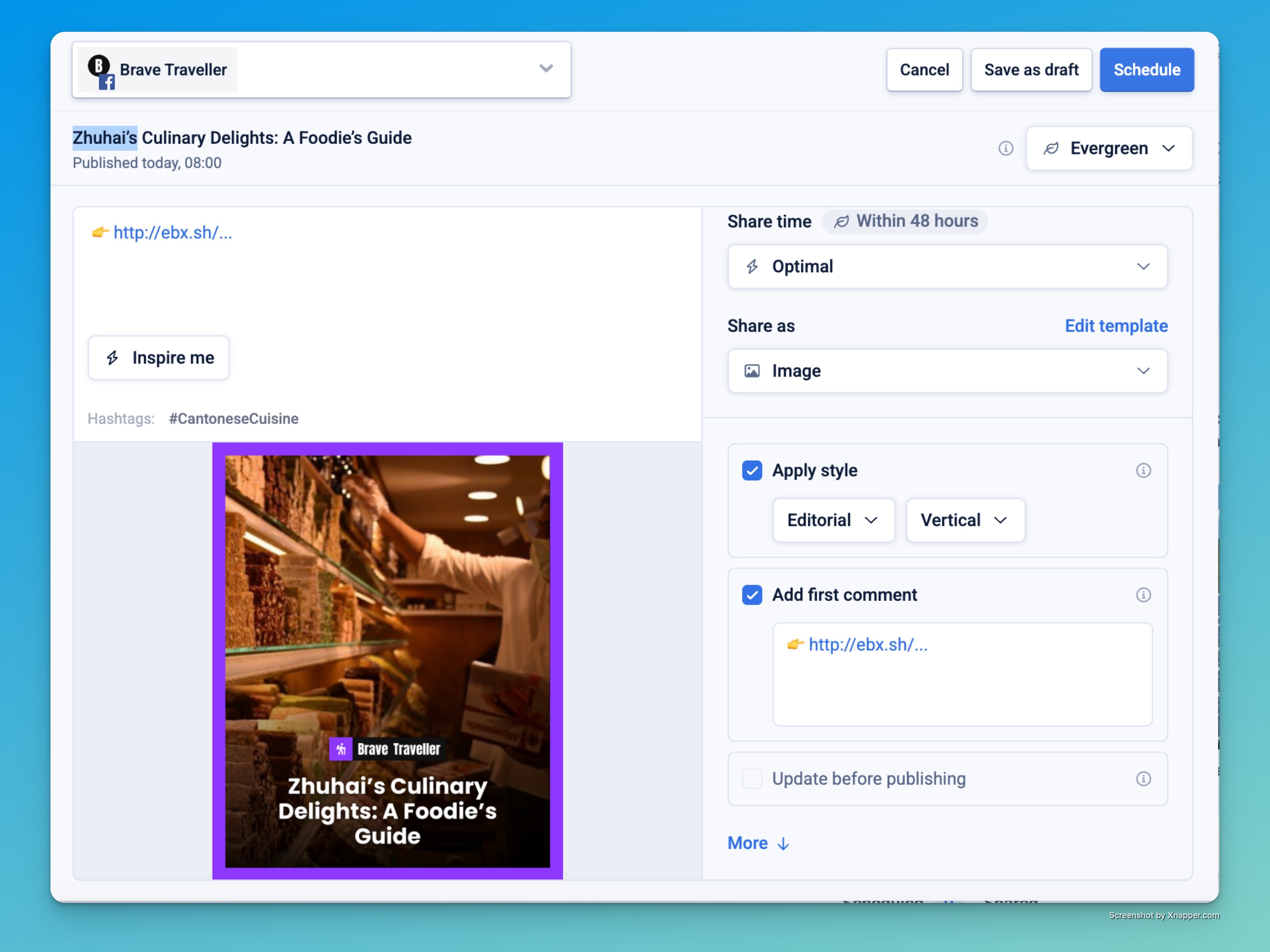
On these networks, we advise making at least some of your shares image-link posts, where the article is shown as a designed image with the URL in the message, first comment, or both.
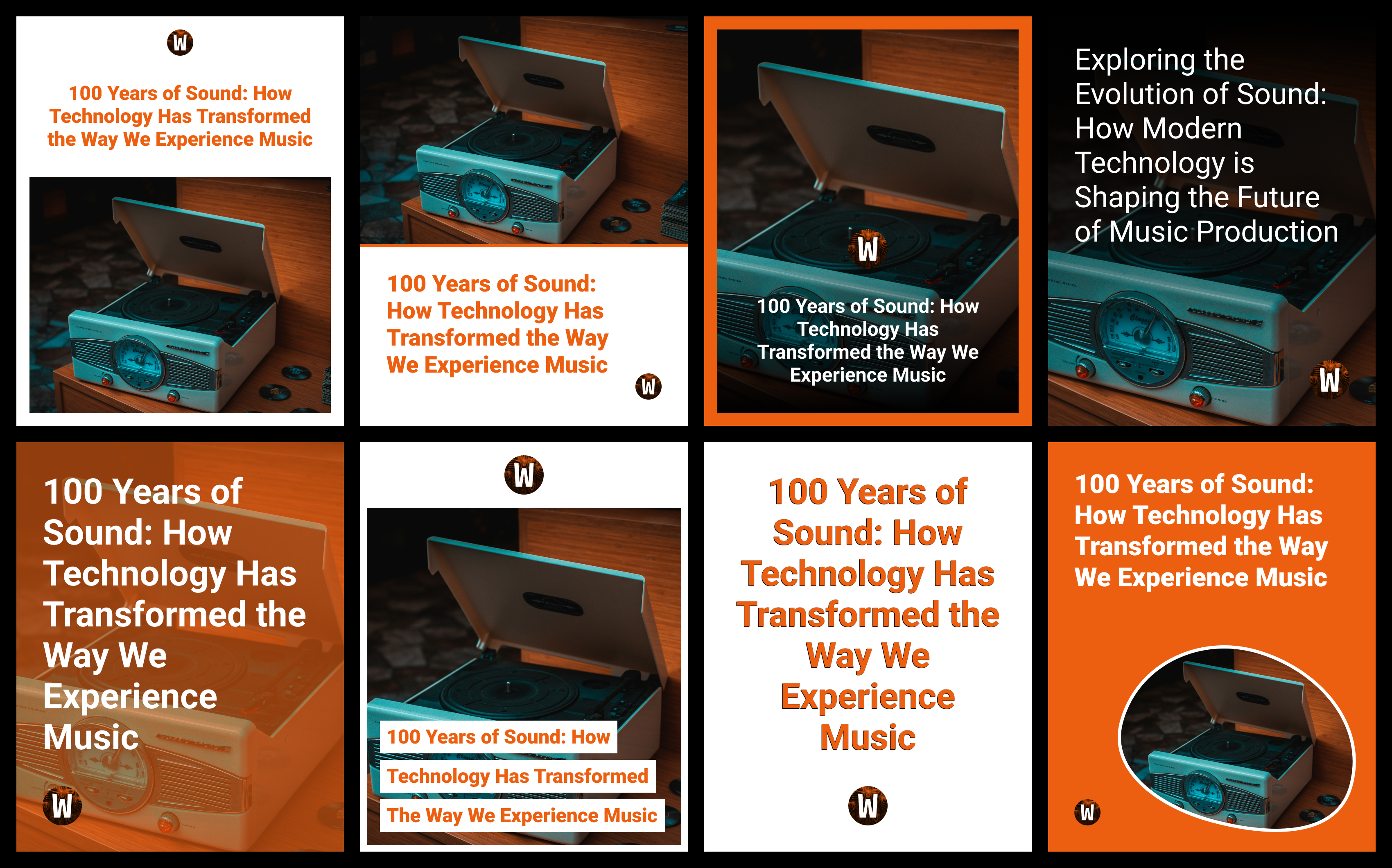
Image-link shares on Facebook drive significantly higher engagement compared to standard link shares. By transforming your article links into visually compelling images, you can:
- Capture reader attention more effectively
- Increase click-through rates
- Improve overall post performance
How it works
When creating a post in the Compose Box:
- Select “Image” from the “Share as” dropdown.
- The article will be converted into a styled image.
- Publish or schedule the post as usual.
To control how the conversion happens, tell us your preferences via the image template in settings. There you can:
-
- Set a default style for the generated image
- Define your brand colours
- Upload your logo
- Choose where the link should appear: message, first comment, or both.
- Add a custom prefix (e.g. “Read more here:”) if desired.
On Facebook, Echobox can also automate image-link shares, generating them using your defined styles. You can enable this in your page's automation settings.
Article-to-image conversion on Instagram
Unlike Facebook, all Instagram posts are images – so Echobox automatically converts articles into images when sharing to Instagram. There’s no need to choose a share format.
How it works
When you open a URL within a connected Instagram page in Echobox:
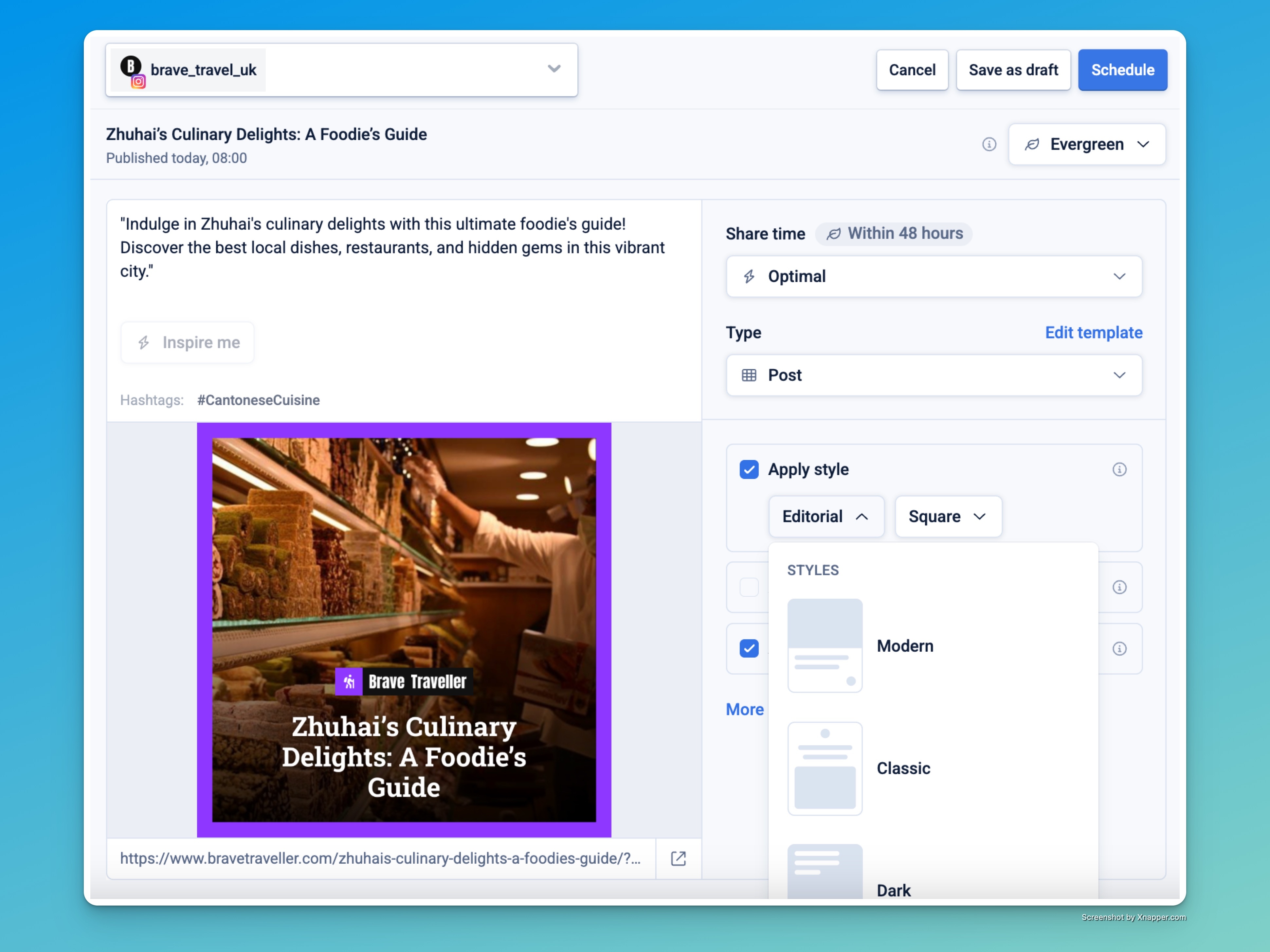
- Echobox automatically generates an image using your default Instagram style.
- You can toggle styling on/off, or choose a different style before publishing.
Instagram-specific settings
In your Instagram page's Templates settings, you can define:
- Default style (e.g. Modern, Editorial, Custom)
- Message suffix (e.g. “Link in bio”) to appear after your caption
- Font, brand colors, and logo
- Overlay text source, such as OG Title
These settings are used each time you open a new article in the Instagram Compose Box.
If you have turned on automated sharing for Instagram, all shares will use these settings.
Frequently Asked Questions
🆕 Which networks support article-to-image conversion?
All networks supported by Echobox now allow manual conversion of articles to images, including Facebook, Instagram, LinkedIn, and X. The only exception is TikTok, where only video shares are supported.
📌 What’s the difference between Facebook and Instagram image sharing?
- On Facebook, LinkedIn and X, you choose whether to share an article as a link or convert it to an image. You also decide where the link appears.
- On Instagram, Echobox automatically generates an image from the article. No link appears in the image, but you can add “link in bio” text using the message suffix in template settings.
🔁 Can I cross-post between networks?
Yes, but note that cross-posted images do not carry over settings. Image settings will be applied based on the target page’s template. This is so you can e.g. easily share a piece of content to both a news and a sport page (with different branding) simultaneously.
🧠 Can I automate image-based shares?
On Facebook, you can tell our automation to make a defined proportion of your shares as image-link posts, or let us optimise the proportion dynamically.
On Instagram, set a daily share target and our automation will convert articles to feed images (and soon Stories) and share them for you.
🎨 Can I use a custom style?
To request a custom style from us, use this form.
If you’ve worked with Echobox to build a custom style, it will appear in the style dropdown. You can apply it to either Facebook or Instagram shares depending on your settings.
🛠 Can I preview my style selection before publishing?
Yes. In both Facebook and Instagram settings, paste a URL into the preview field to see how your current style would look. You’ll be able to adjust any settings before they go live.
🧹 Can I remove styling from a post?
Yes. In the Compose Box, uncheck “Apply style” to use the default article image without any design overlay.
What happens if no style is selected yet?
By default, Echobox uses the Modern style. It's easy to untick 'Apply style' if you don't want to use one until you have defined your branding.
What happens if no logo has been uploaded?
Echobox will generate the image with the style chosen, but with no logo overlay
Can I change styles after scheduling a post?
Yes! If you open a share from the schedule queue, you may switch to a different style or none.
Can I highlight words in the overlay text?
Open the edit modal on a styled image and you'll see a "Highlight" button. Select the word(s) you want highlighted and click to make something like this:
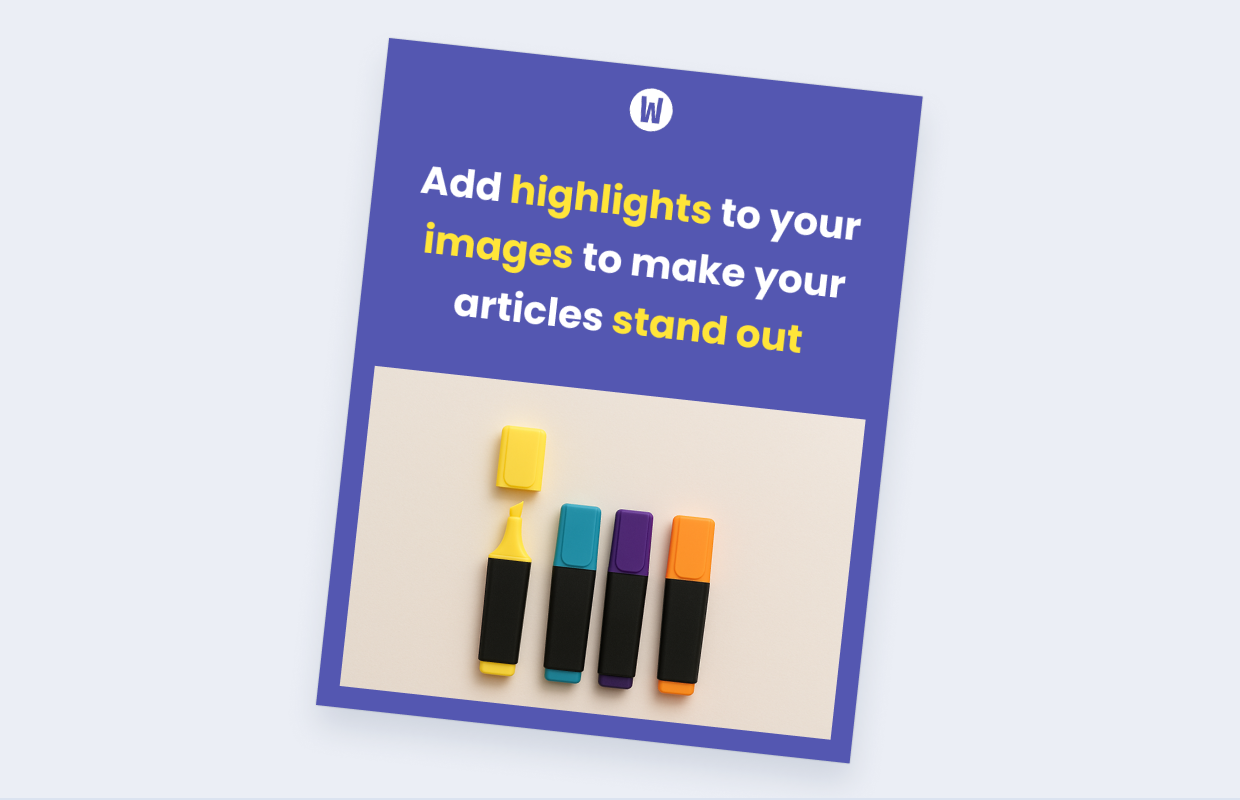
You can set a default highlight colour as part of your image template.
Can I add dynamic tags to a styled image!
Yes! Read Adding dynamic tags to image styles via RSS to learn how to enable category and image credits for default Echobox styles.
Summary
Echobox makes it easy to turn your articles into eye-catching branded images. Whether you’re posting to Facebook or Instagram, our styling system helps you create impactful social content in seconds.