
Subject Lines and Preview Text
Subject lines are usually a subscriber’s first interaction with your emails, and are a deciding factor in whether or not they open them. It is therefore important that your subject lines grab the attention of your readers and make them want to engage with your email.
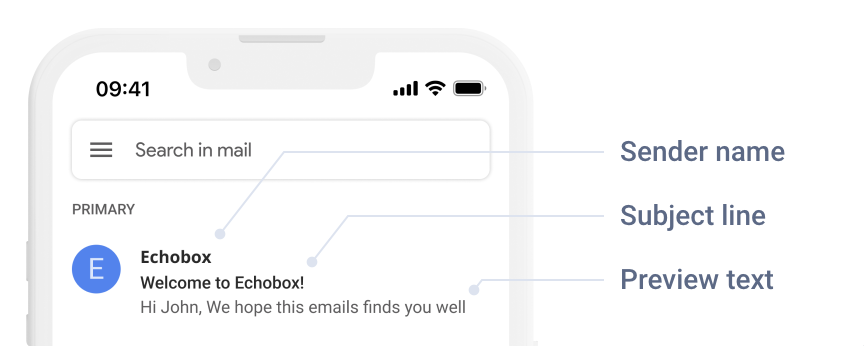
Preview Text (or Preheader text) is a short excerpt from your email that appears in the inbox underneath the subject line. Preview Text is meant to complement your subject line, and entice subscribers to open your email.
This page provides tips on writing good subject lines, as well as details on how Echobox can help you to maximize engagement.
Default Subject Lines & Preview Text
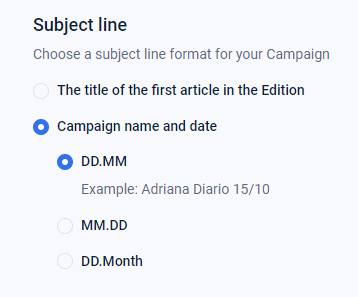
You can select from two default subject line formats for each Campaign in your Content Settings (Settings > Campaigns > [Campaign Name] > Content):
- The title of the first article in the Edition
- Campaign name and date (in several formats)
Echobox provides 3 default options for your preview text:
- The title of the second article in the Edition
- The description of the first article in your Edition
- Custom (if you want the same text to appear every Edition, e.g. "Read on")
Best practice dictates that preview text should be between 30 and 100 characters in length.
Custom Subject Lines
The subject line for each Edition of a Campaign can be changed manually on the Curate page.

ChatGPT Subject Lines
On the Curate Page, you can press Inspire me to have ChatGPT suggest subject lines for your Edition. These are generated based on the top three articles in your Edition, and are designed to follow subject line best practices.
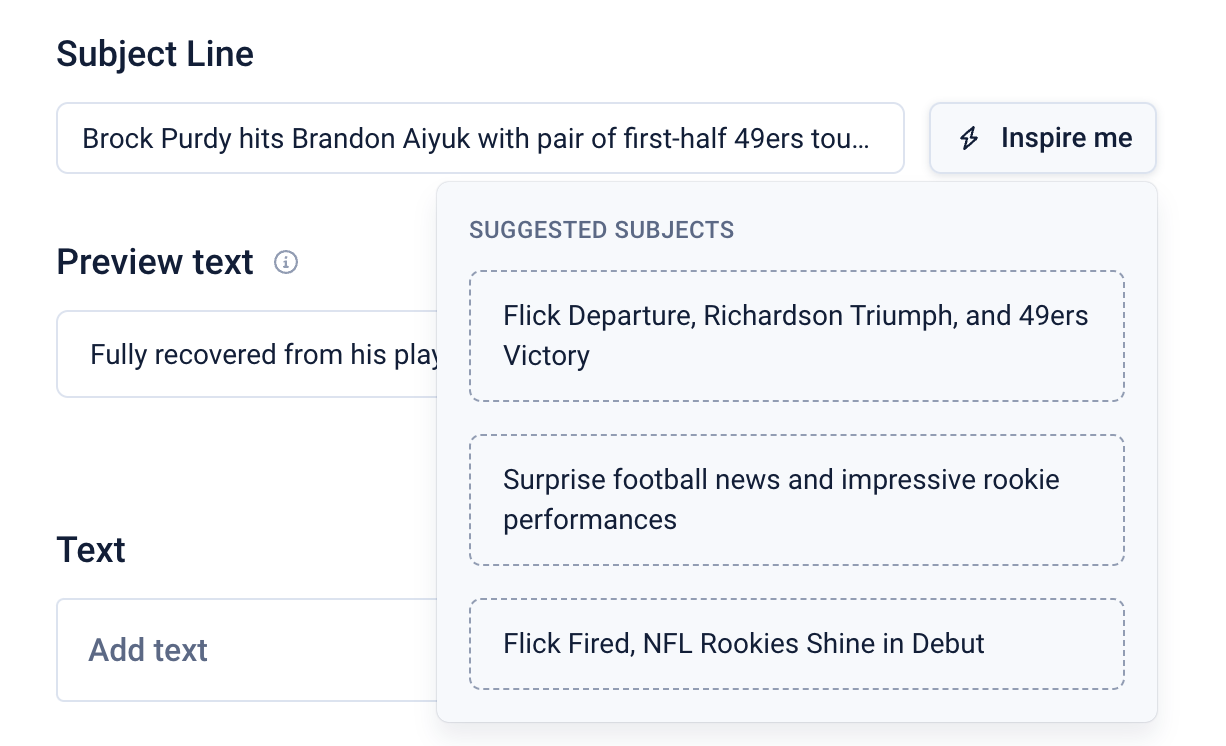
ChatGPT Subject Line is currently available in the following languages: English, French, Spanish, Italian, and Portuguese. We will be adding support for more languages in the future.
Should you change one of the article URLs after having generated an AI subject line, you will be prompted to check that the subject line is still relevant to the Edition’s content before approving it.
Best Practice
Subject lines play a vital role in your audience’s engagement, as they directly influence whether your subscribers will open your emails. This means that following best practice for subject lines is crucial for maximizing your open rates.
Echobox provides feedback on your subject lines, based on these best practices when writing a subject line on the Curate page.
Length
The optimal length for an email subject line varies based on the device and application being used to read the email. In general, long subject lines will not be fully displayed on mobile devices, and extremely short subject lines can trigger spam filters.
Longer subject lines also tend to make a reader less inclined to open an email. Keeping headlines short and to the point, while still having enough information to be descriptive, tends to better engage recipients.
Spam Words
Inbox Service Providers check email subject lines for words and phrases that are commonly associated with spam emails.
Echobox has a database of words and phrases that trigger spam detectors and will inform you if your email contains any of them. Some examples of these are “fast cash”, “eliminate debt”, “visit our website”.
Excessive use of Punctuation
Including excess “???” or “!!!” in a subject line can also land your emails in spam folders. The same goes for other types of grammatical errors.
Hashtags
Hashtags are also a common trigger for spam detectors. Using them in your subject line can decrease open rates by 7% on average .
FAQ
Why would Echobox’s AI not be able to generate a subject line?
There are some cases in which Echobox may not be able to generate an AI subject line for an Edition. These include an Edition having:
- Not enough articles
- Too many articles from outside your website (i.e. which Echobox hasn’t processed yet)
- Not enough data on its articles (they lack descriptions, keywords or other metadata used to build AI subject lines)
- Very new or very old articles
- Too many of the articles are behind a paywall
In these instances, the ‘Inspire me’ button will not be displayed.