
Query Parameters
What are Query Parameters?
A URL query parameter (or query string) is an element inserted in a URL to pass information to the web page being opened. The most common use for query parameters is for tracking and analysis.
There are two types of query parameters: queries following the “?” in the URL and fragments following the “#”. Multiple parameters of each type may be included in the URL so long as they are separated by an ampersand “&”.
URL parameters usually follow the format [parameter_name]=[value]. See below for an example.

Default Parameters (per Page)
Echobox will automatically add standard traffic tracking parameters to every URL it posts.
- utm_source is the social network to which it is posted, e.g. “Facebook”
- utm_medium is always set to “Social”
- utm_term is automatically set to “Autofeed” for all Autofeed shares
- fbclid is set by Facebook as the Facebook Click ID (Echobox does not have the ability to change this)
Custom Query Parameters (per Page)
You can define your own parameters on a per-page basis. In your Echobox, there is a URL Parameters section of the Page level settings.
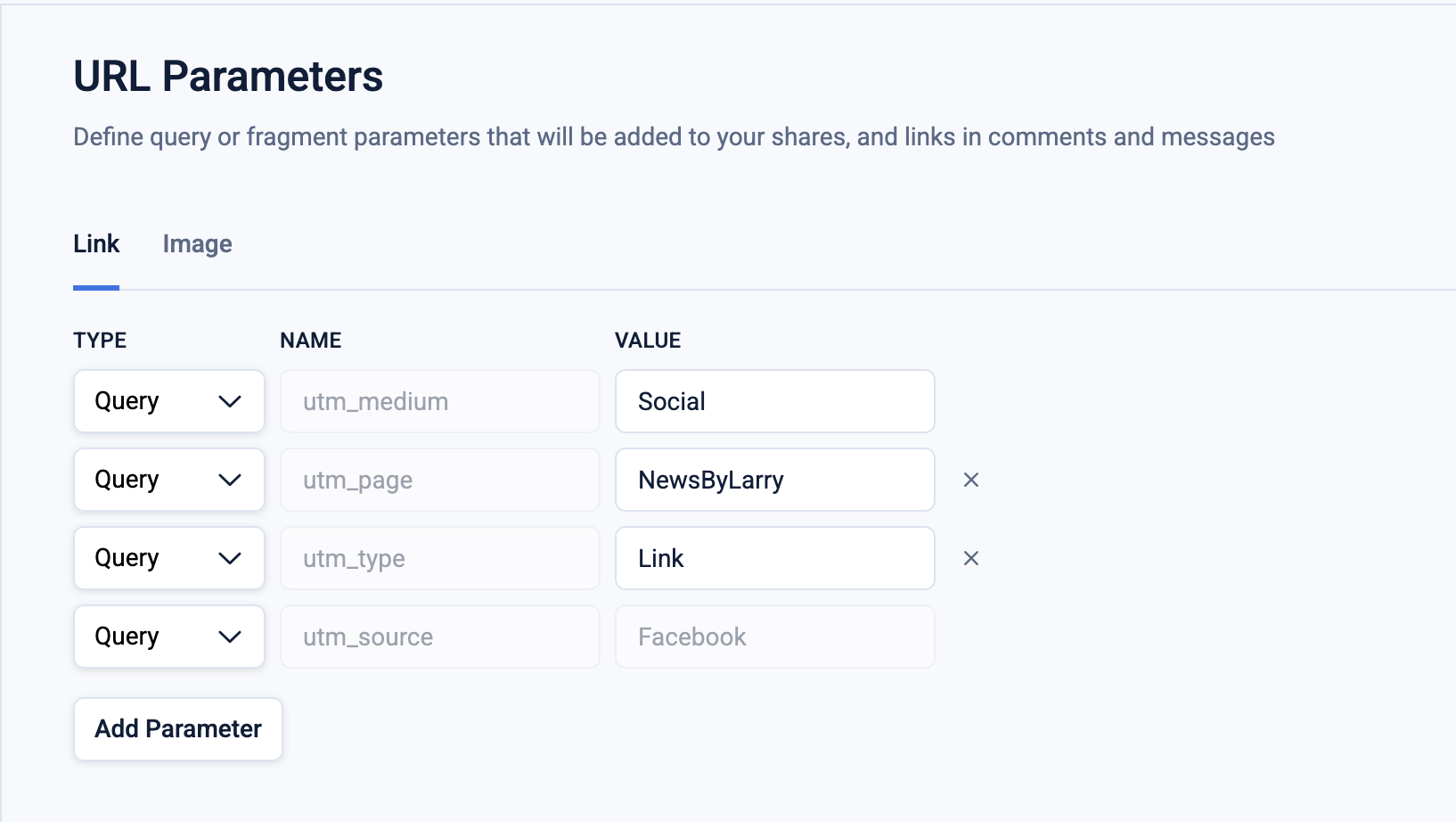
Custom Query Parameters (per post type)
On a single page, you can also apply different parameters to link shares and image shares (when Echobox has placed a URL in the message or first comment).
All Facebook pages should be making at least 10% – and often a lot more – image-link posts, and adding unique custom queries will allow you to compare their performance against link shares.
Custom Query Parameters (per Post)
You can insert query parameters into the URL of a manual post within the Compose Box directly. When making a New Share, the URL will appear in the Compose Box without any custom parameters. To include parameters, click on the URL and add an “&” followed by the additional parameters.
Don’t worry if a red outline box appears while you are editing. To get rid of the box, click anywhere outside the URL editing box to load the new edit to the URL.
Echobox will perform a check prior to posting and automatically update to ensure that the correct utm_source and utm_medium have been set.
Echobox fragment parameter
A fragment parameter is used to identify a version of a webpage. The fragment parameter prevents any reshares of the same article from being blocked as duplicate content. The social networks will not penalize the post, since they will not recognize the post URL as something that has been posted previously thanks to the addition of the fragment parameter. Twitter actively prevents you from posting duplicate posts in ‘short periods of time’. Facebook will not stop you from posting duplicates, but will diminish the reach of both posts. This fragment parameter improves your post’s performance by ensuring that the post is not blocked or diminished in its reach.
If you would like to move this to the query part of your URL, this can be changed by emailing support@echobox.com .
FAQs
Can I change the utm_medium parameter?
You can set the parameter to be anything you like within your Page settings. We suggest a default of utm_medium=“Social” to prevent any ambiguity.
Can I change the utm_source parameter?
This parameter is essential for Echobox to work correctly. You can change any other parameters and add as many as you would like, but this parameter must remain unchanged.
Can I get rid of the “Echobox” parameter in my posted links?
No, you cannot remove the fragment from the URL. However, if you wish, you can move the parameter from the fragment to the query.