How can I create a collection of pages for one-click cross-sharing?
Some Echobox customers regularly use cross-sharing to post the same content on multiple social pages simultaneously.
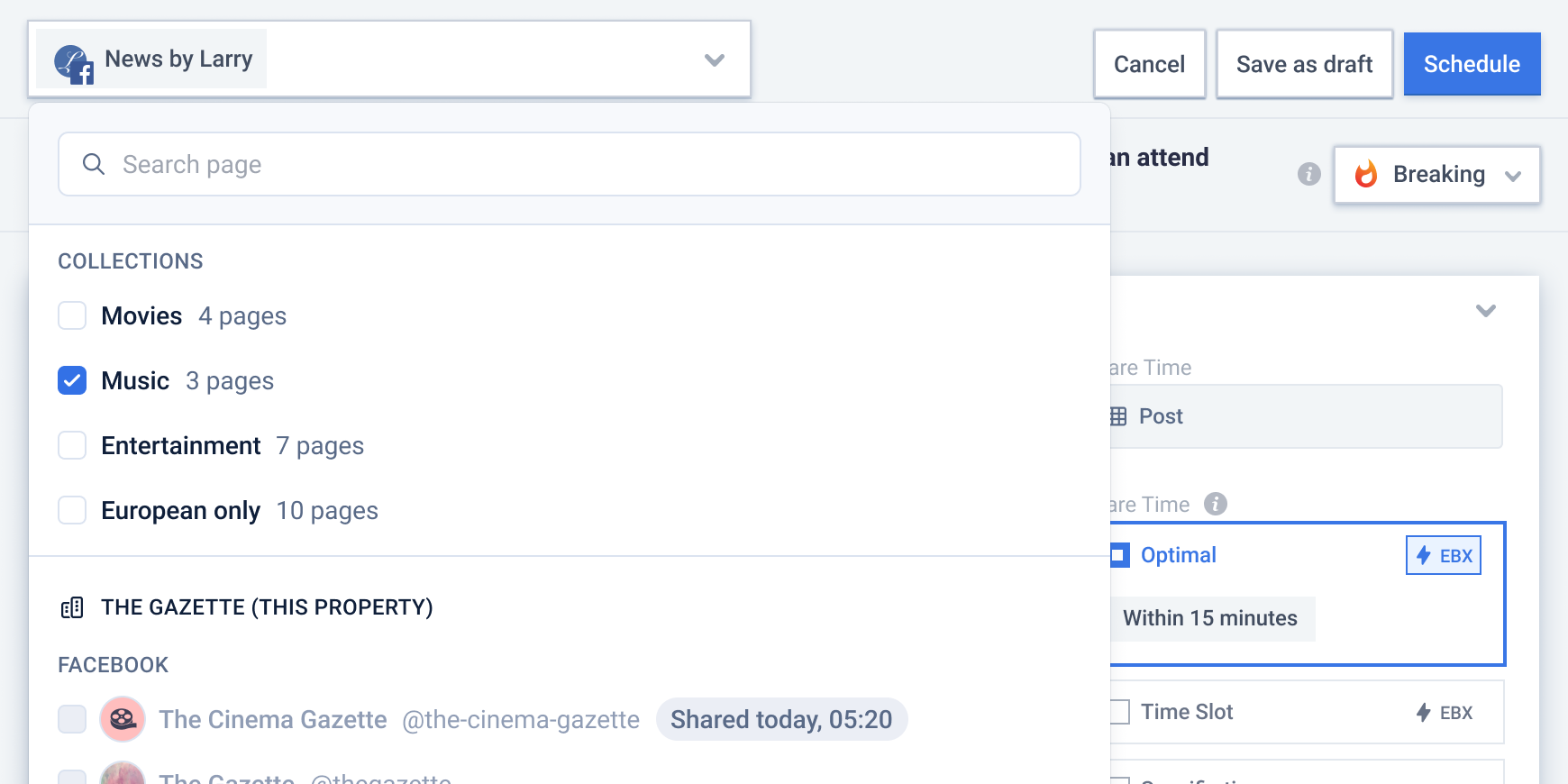
If this sounds like you, page collections will help you make these shares much faster. Once a collection of pages is set up, you can select it in the cross-sharing menu from within the Compose Box, and the share will be made to all the constituent pages.
How to create a new collection
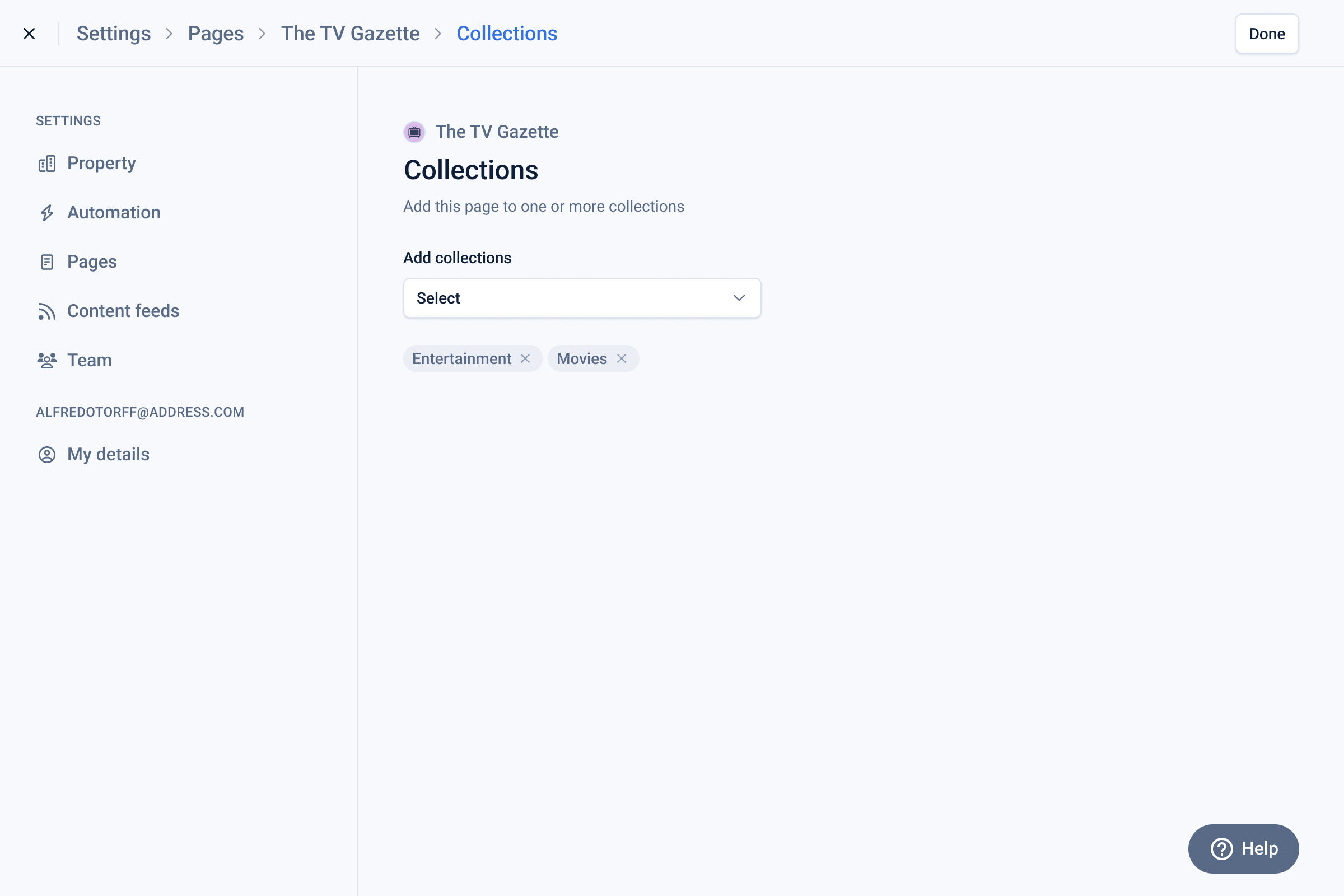
- Start by navigating to the settings for the first page you want to add. Click the edit button for the Collections menu entry.
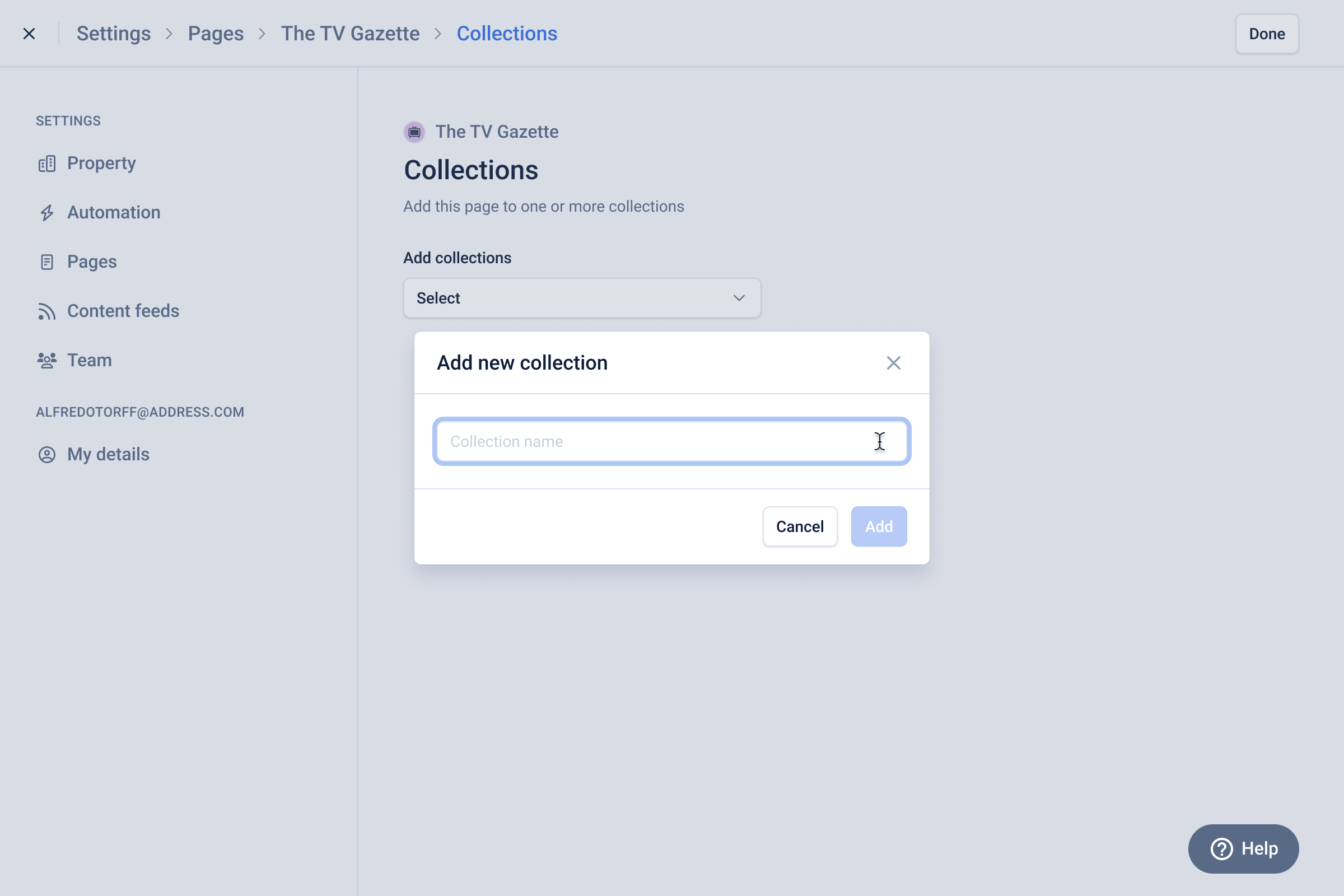
- Click on the dropdown, scroll down if required, and select “Create new”
- In the modal that opens, give your new collection a name and click “Add”
- Congratulations, you have a collection
- For now, the collection only contains one page. To add more, go to the Collections settings for a page you want to add. When you open the dropdown, you should see the collection you just created. Click the checkbox to add this page to that collection. [You can add a page to multiple collections at once]
- Repeat in the Collections settings for the other pages you want to add.
How do I add a new page to an existing collection?
- Go to the Collections settings for the page you want to add.
- When you open the dropdown, you will see a list of your existing collections
- Click the checkbox to add this page to the collection(s) of your choice
How do I remove a page from a collection?
- Go to the Collections settings for the page you want to remove.
- Collections it is part of will be displayed
- Click ‘X’ next to the collection name to remove the page from that collection
- Click ‘Done’ in the top right