
Facebook Domain Verification
What is Facebook Domain Verification?
Facebook introduced Domain Verification to help reduce the spread of fake news. It ensures that only the owner of a domain can edit the way their content appears on Facebook. (Find out more here).
It is therefore recommended that you complete Facebook’s Domain Verification in order to be able to edit your posts through Echobox. Echobox will still be able to automate and optimize your shares if you are not domain verified, but you will not be able to customise the image, article title and description in the post until you are.
Please note:
- If you intend on using Echobox’s AB test feature to trial different images, titles or descriptions then Domain Verification will be required.
- Domain Verification is not the same as the blue Verified badge or Link Ownership.
How do you know if your domain is verified?
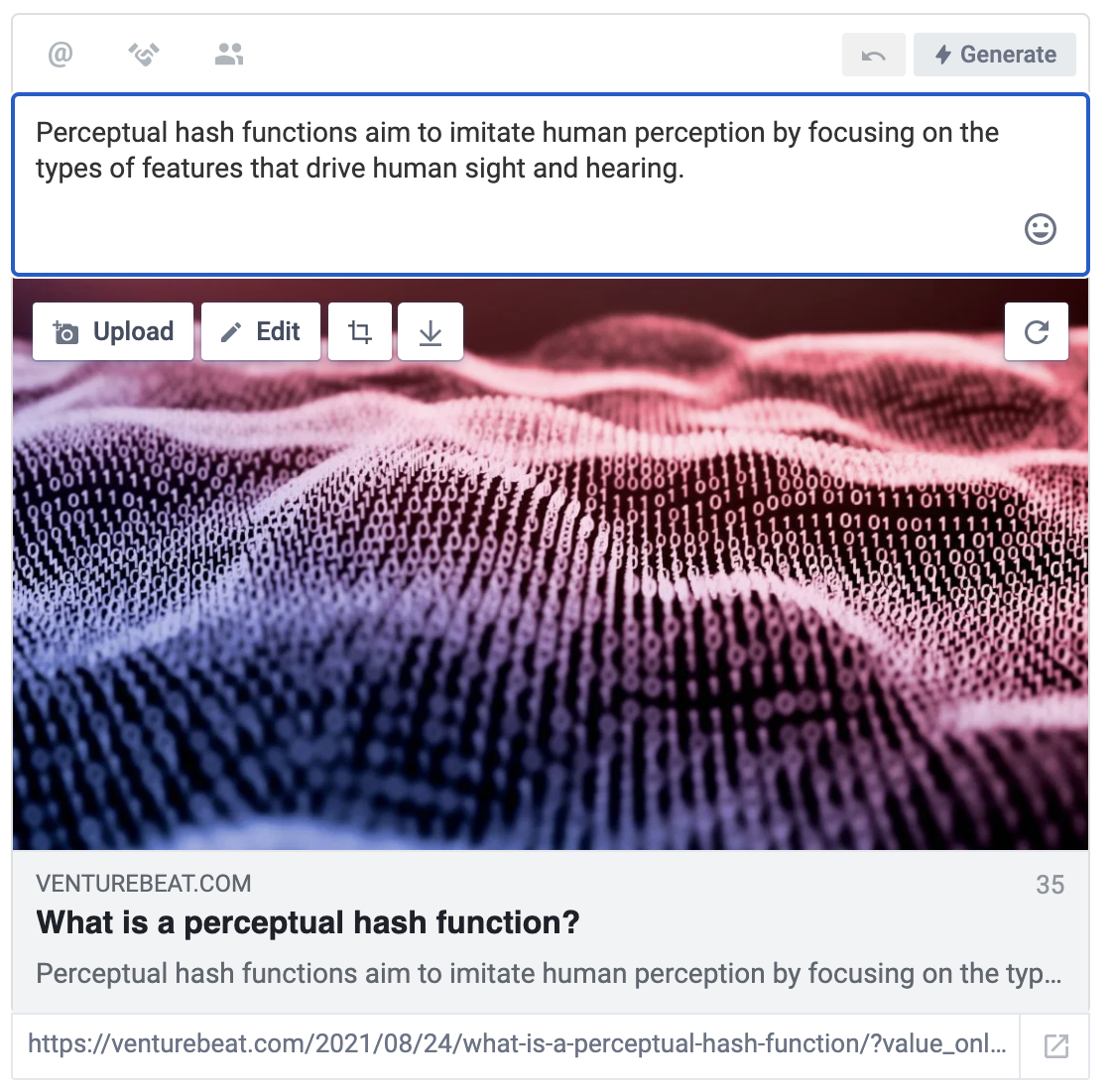
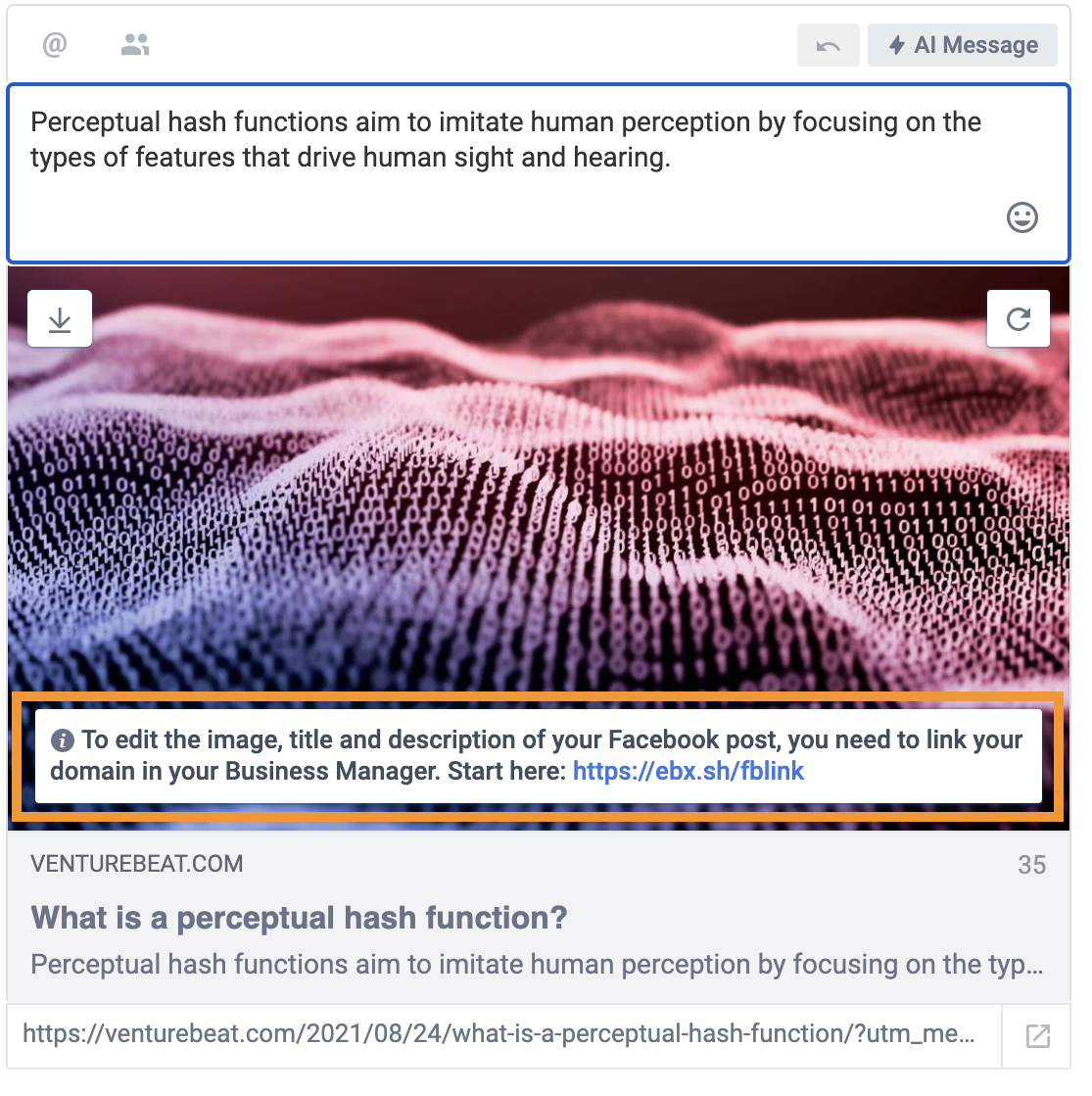
A simple way to find out is to open the compose box on the Echobox platform. If your Facebook page is not domain verified, a pop-up will appear when you hover your cursor over the image which will direct you to Facebook Business Manager.
Domain Verified:
Not Domain Verified:
How to verify your domain
Facebook Domain Verification is managed in Facebook Business Manager .
To action this process you will require full Manage permissions for your Facebook pages.
If you don’t have manage permissions to your Facebook pages, you will need to ask the page Administrator to grant them to you or ask them to action the domain verification.
Depending on the method of verification you choose, you may need a member of your IT department to handle this process. Facebook has a detailed guide to verifying your domains (including a handy video) here .
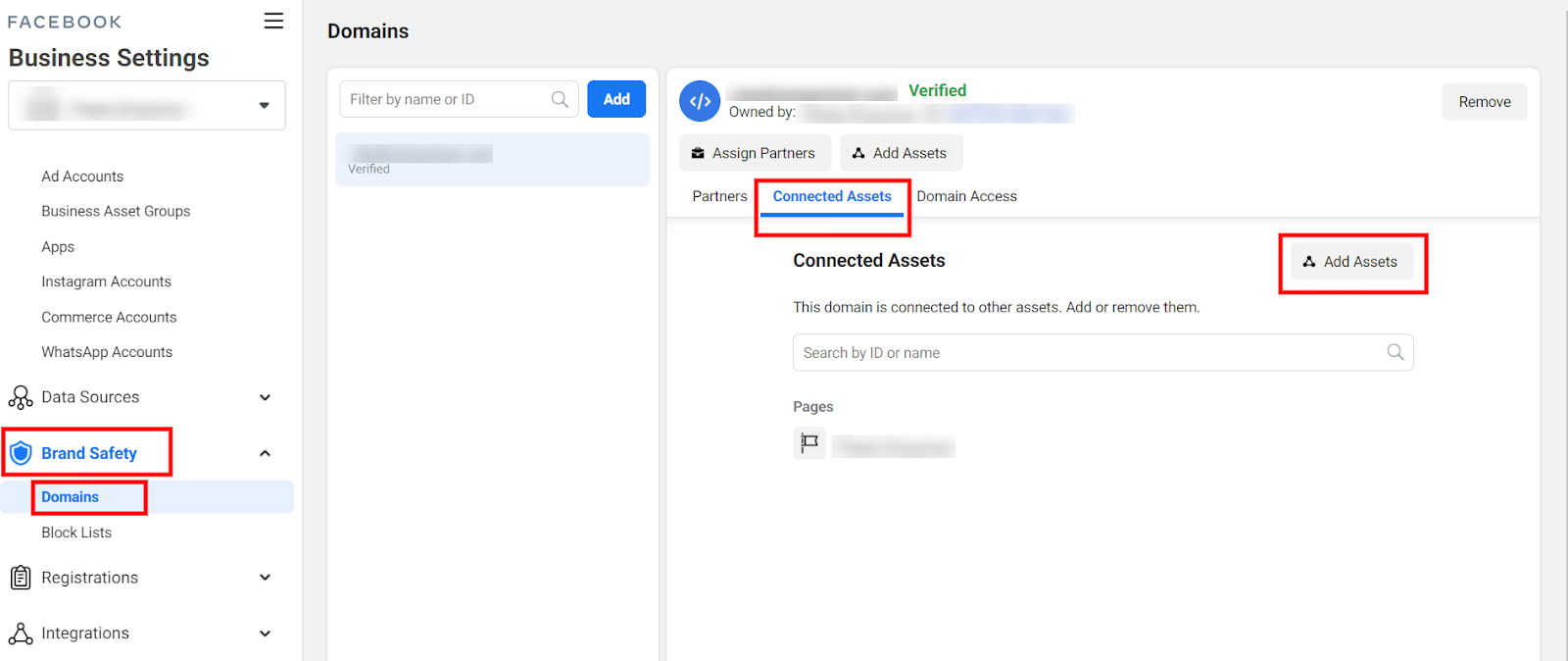
One key thing to note is that for each domain verified, the relevant pages also need to be connected to the domain. Often, this step can be missed if your IT team are completing the process for you (especially if you have multiple Facebook pages or domains). Once your domain(s) have been verified, we recommend you log into Facebook Business Manager’s Domain Settings and then check the Connected Assets tab to add any additional pages that need to be connected to a particular domain.
Facebook Business Manager Domain Settings:
If you have multiple domains and pages that cross-post each other’s content then we recommend connecting all relevant pages.
FAQs
My domain is verified in Facebook Business Manager but Echobox still says my page is not verified
There are a number of reasons Echobox may not recognize your domain as verified:
- If you have recently received confirmation of your domain verification from Facebook, it can sometimes take up to 24 hours before Facebook communicates this information to Echobox.
- Often your domain might be verified but not all pages have been connected to the domain in Facebook Business Manager. This is an easily overlooked step if you have a number of domains or pages.
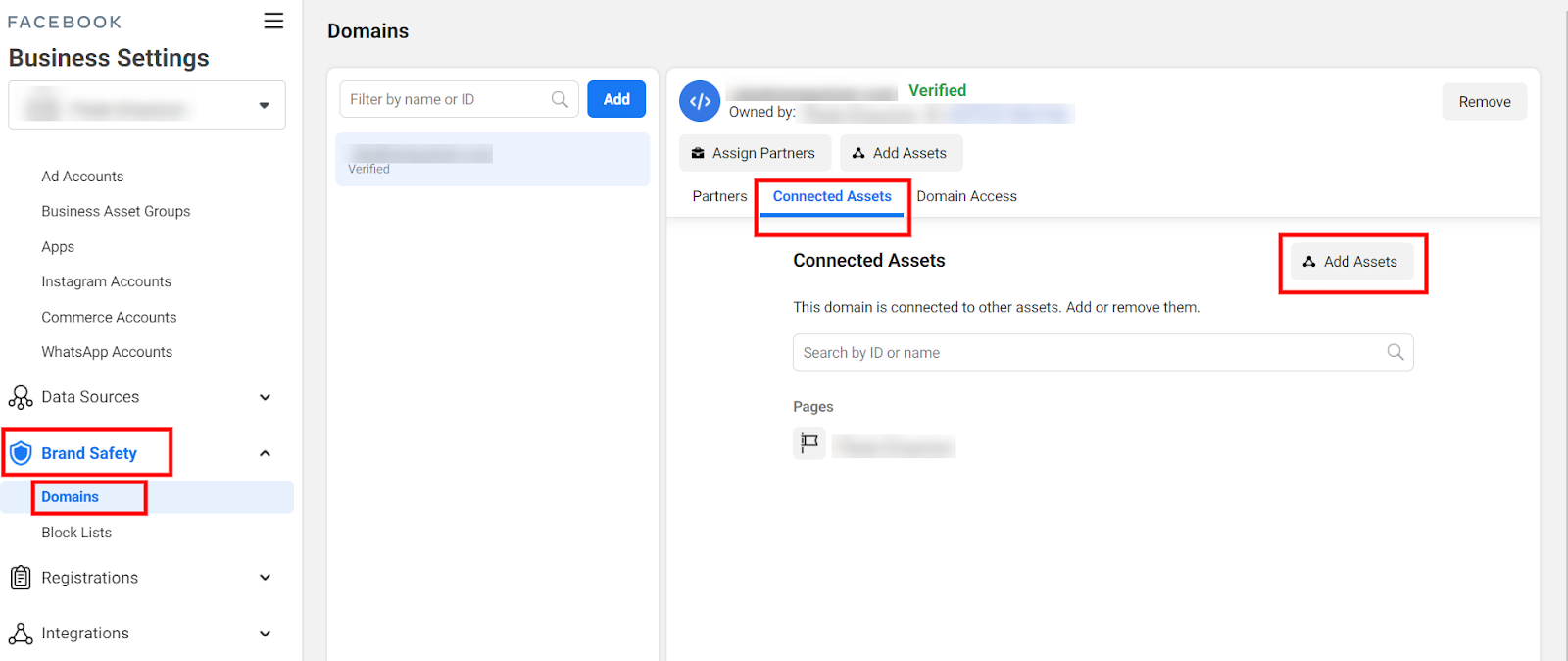
In this case, go to your Facebook Business Manager Settings
- Go to Brand Safety
- Click on Domains
- Click on the Connected Assets tab
- Then click Add to add any missing pages
- Click on the Connected Assets tab
- Then click Add to add any missing pages
I can’t access Facebook Business Manager
Access to Facebook Business Manager requires a personal Facebook account to have full admin permissions, known as Manage permissions, for a particular Facebook page. If you don’t have access then you will need a Page Admin to update your Page permissions to Manage.
More information on managing user permissions here .