Double Opt-in
What is double opt-in?
Double opt-in is an extra confirmation step to verify each new email address added to your subscriber list. Once a new reader signs up to your newsletter, they will receive a verification email in their inbox to confirm their subscription. They are officially subscribed to the Campaign only once they have verified their email address, and will not receive further emails until they do so.
In some countries, it is a regulatory requirement that a subscriber confirms their subscription.
The alternative to double opt-in is single opt-in.
Why should you use double opt-in?
Using double opt-in avoids having faulty email addresses in your subscriber list. It also ensures your subscribers are truly engaged with your Campaign and your brand, before they start receiving emails. The deliverability, open and click rates of your emails will increase as your subscriber base is more engaged and legitimate.
How does Echobox help?
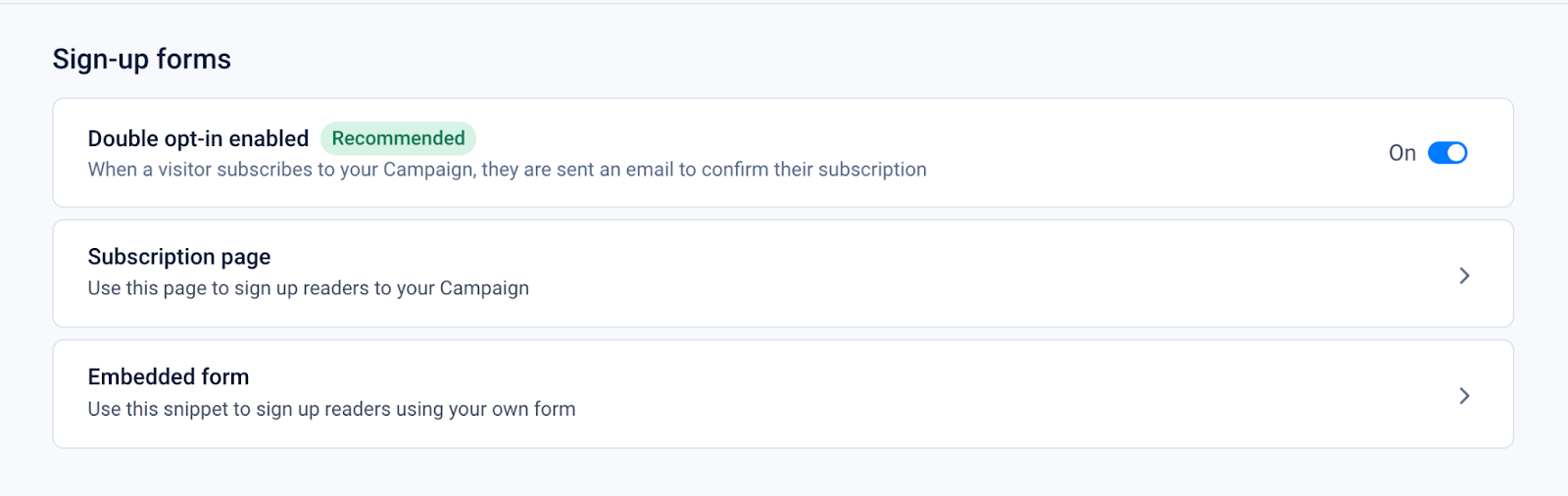
To turn on double opt-in in Echobox, toggle the option in Settings > Campaigns > [Campaign Name] > Sign-up forms. Your double opt-in verification email can be customized in your Settings > Campaigns > [Campaign Name] > Branding > Verification.
If you have chosen to use a double opt-in strategy, Echobox will only include subscribers in your subscriber list who have verified their subscription.